WelcomeBerlin Marketplace

How to Get an Anmeldung Appointment in Berlin.
How to book a Bürgeramt appointment to register your address in Berlin, explained clearly and without shortcuts.
Get an Anmeldung Appointment in Berlin
- One of The First Mandatory Steps After Coming To Berlin
- Get a Free Step-by-step Guide on How to Fill out the Anmeldung Formular
- Step 1: Visit The Website of the Citizen's Office (Bürgeramt)
- Step 2: Before You Start. One Setting That Makes All The Difference
- Step 3: Find a Free Spot
- Step 4: Enter Your Data
- Step 5: Verify Your Email
- Success
- Documents You Need For Your Anmeldung
- Final Notes
One of the first mandatory steps after coming to Berlin
Without registering your address, you won’t be able to get a Steuer-ID, open certain bank accounts, sign contracts, or complete most administrative processes.
—The difficult part is not the registration itself but getting an appointment at the Bürgeramt.
This guide explains, step by step, how to book an Anmeldung appointment in Berlin, what options to select in the system, and what to do when no slots are available. Everything here is based on real, repeated experience.
Get a Free Step-by-step Guide on How to Fill out the Anmeldung Formular
WelcomeBerlin has prepared an easy guide for you. Print the official Anmeldung form and fill it out by yourself with confidence.
Step 1: Visit the website of the the citizen's office (Bürgeramt)
→ The first step to follow is to schedule an appointment at the Bürgeramt to carry out the registration in person. Appointments are booked online, and you can register at any Bürgeramt in Berlin, regardless of where you live. Always choose the first available slot.
Step 2: Before you start. One setting that makes all the difference
↓ The next step is to choose the district where you want to carry out the procedure. You can try selecting the ones that are closest to you.
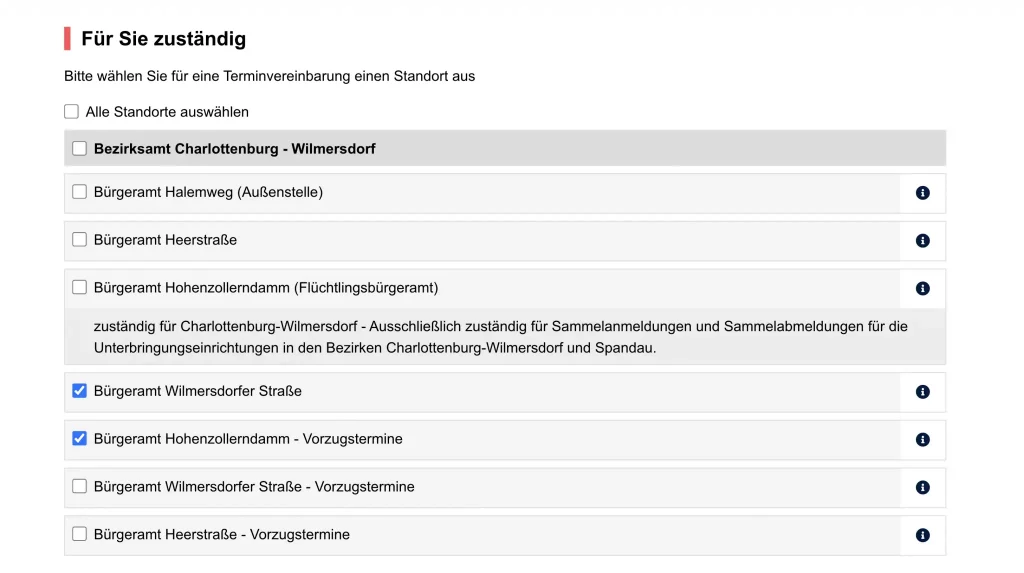
↓ The trick is this: To increase the chances of success, it’s better to check the box “Alle Standorte auswählen” (select all locations). Choosing them all will allow the system to show all available spots in the city, so you can find an appointment as soon as possible.
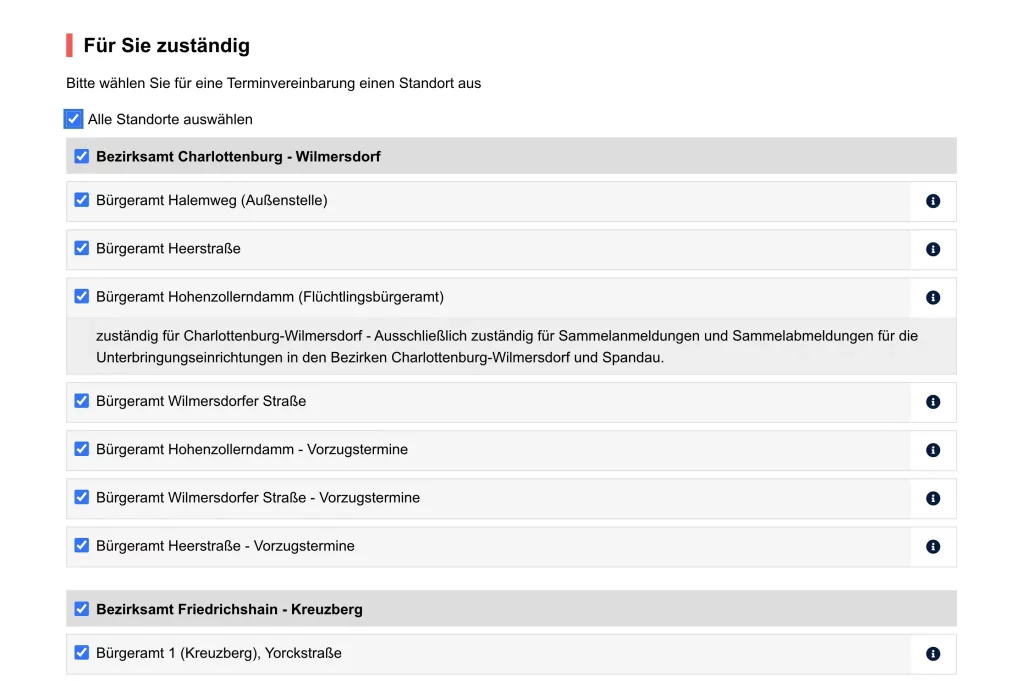
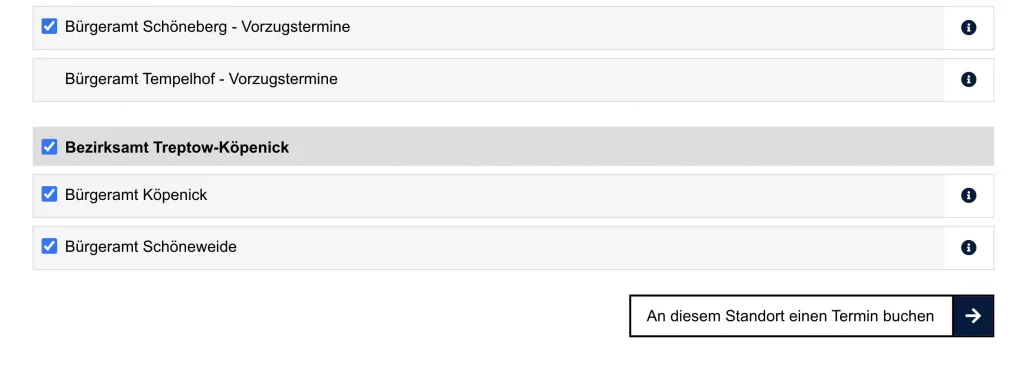
↓ Once you have selected the district(s) of your choice, you must click the white button “An diesem Standort einen Termin buchen” (Book an appointment at this location).
Step 3: Find a Free Spot
Possible outcomes when searching for appointments:
—1. No appointments available
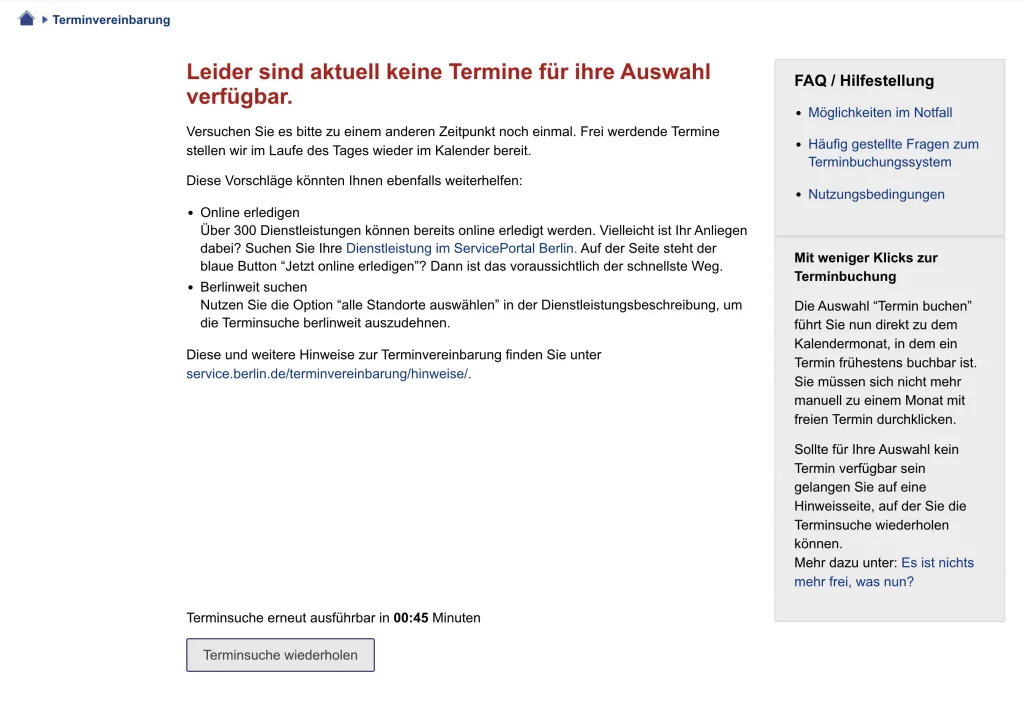
↓ In case the Bürgeramt you have selected has no available slots, you will receive the message shown below: “Leider sind aktuell keine Termine für ihre Auswahl verfügbar” (Unfortunately, there are currently no dates available for your selection). In such a case, try pressing the gray button that says “Terminsuche wiederholen” (Repeat appointment search). If this does not yield results, go back and select a Bürgeramt in another location(s).
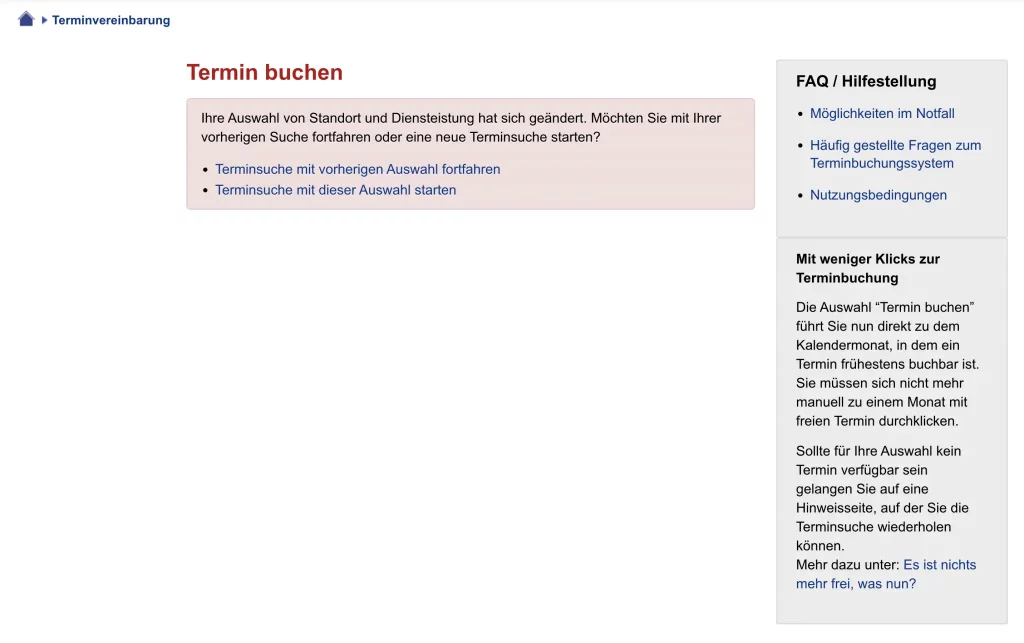
—2. Location selection changed
↓ If the system detects that you have changed the district selection because you tried before, it will deliver a message like the one you see below within the red box: “Ihre Auswahl von Standort und Dienstleistung hat sich geändert” (Your selection of location and service has changed). This does not represent a setback. Simply click on the link that says “Terminsuche mit dieser Auswahl starten” (Start appointment search with this selection).
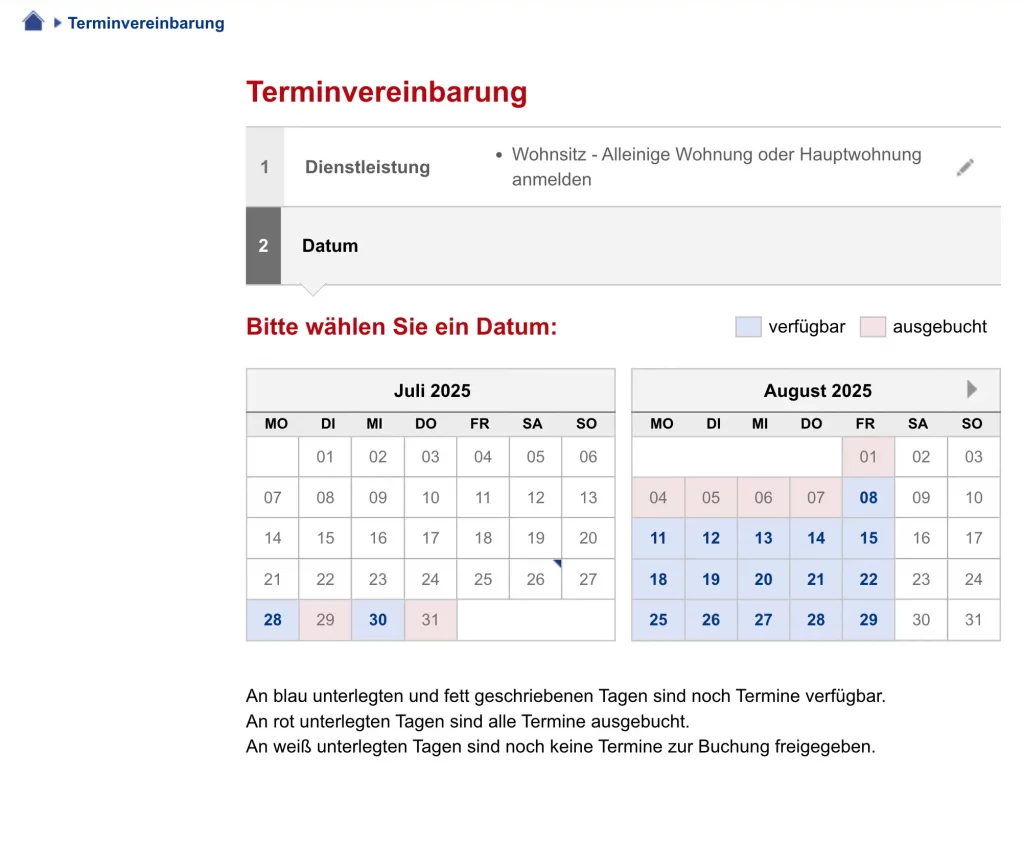
—3. Appointment available (calendar view)
↓ This screen is glorious. Here, at last, a calendar appears where you can select the date for your procedure. The blue boxes indicate available dates, and the red boxes indicate that all appointments are taken for that date.
Note: In case of urgency, you can go to any Bürgeramt at opening time (7:00) or earlier, as in the early hours it is not uncommon for someone to miss their appointment, which frees up slots.
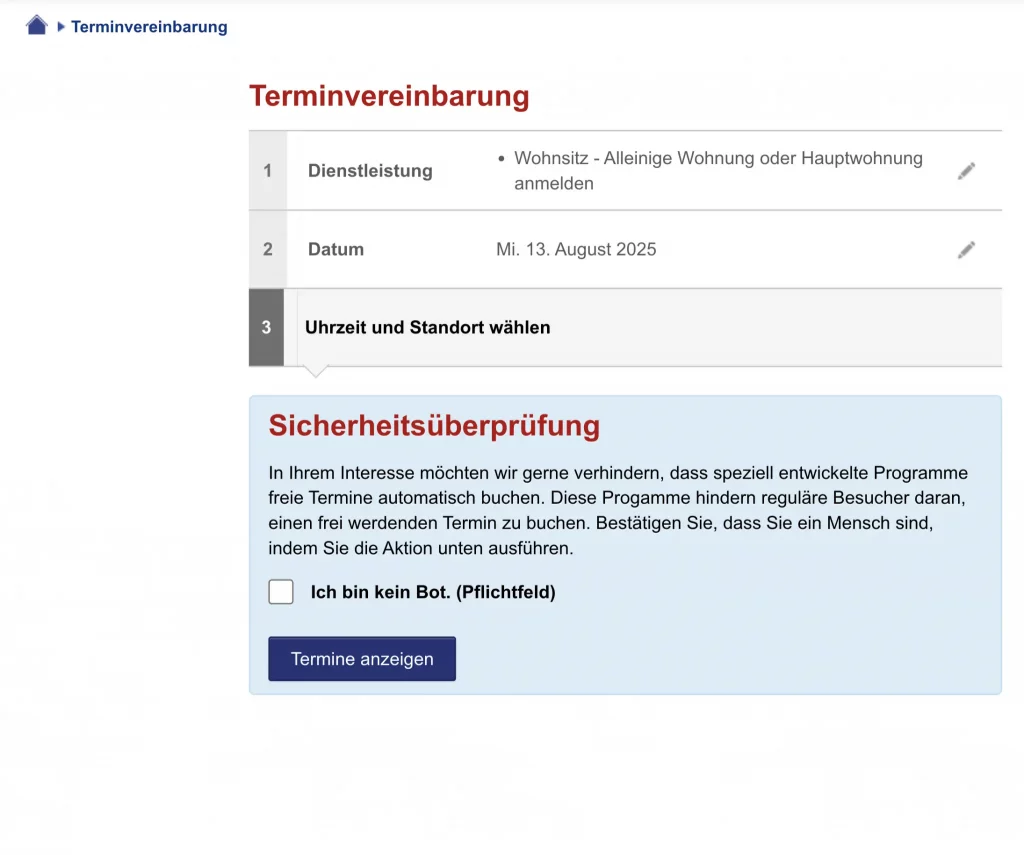
↓ Before selecting the time and location (if you have selected multiple neighborhoods), it is necessary to carry out a security check (Sicherheitsüberprüfung). Select the box that says “Ich bin kein Bot. (Pflichtfeld)” (I am not a bot. (Required field)) and then click on “Termine anzeigen” (Show appointments).
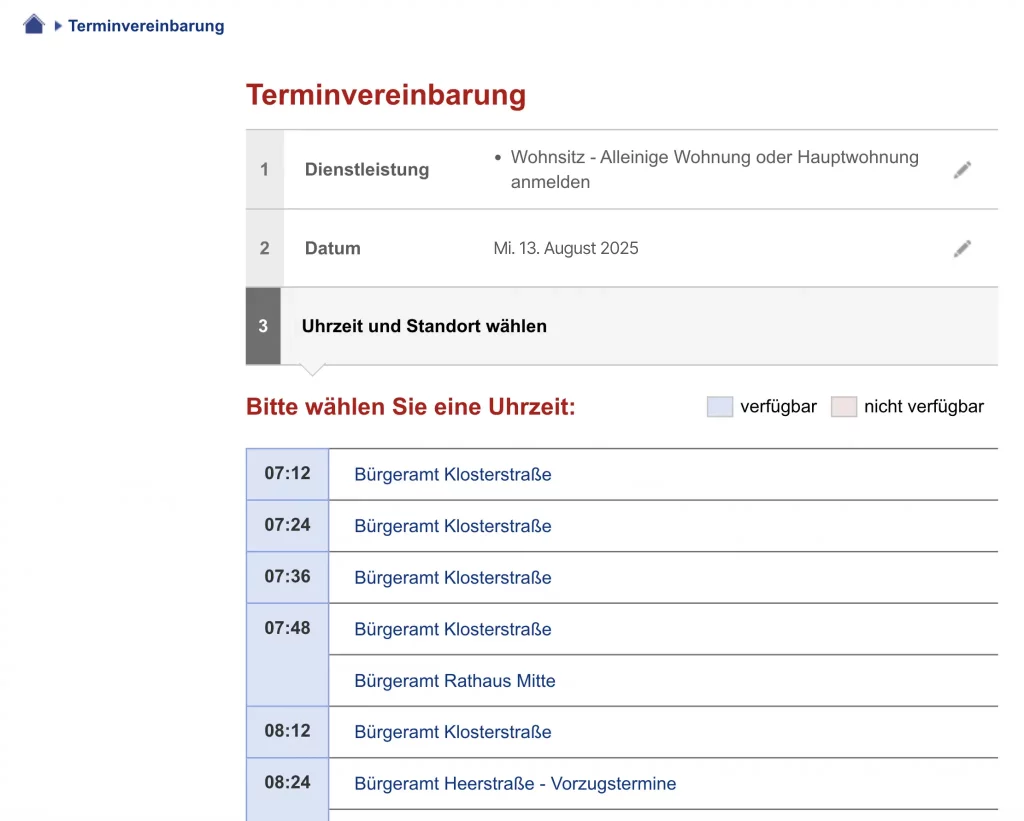
↓ Next, select the time slot that suits you best to register your new domicile. The list shows the time slots and locations. Sometimes the same time slot is available in different districts, depending on what you selected in the previous steps.
Step 4: Enter Your Data
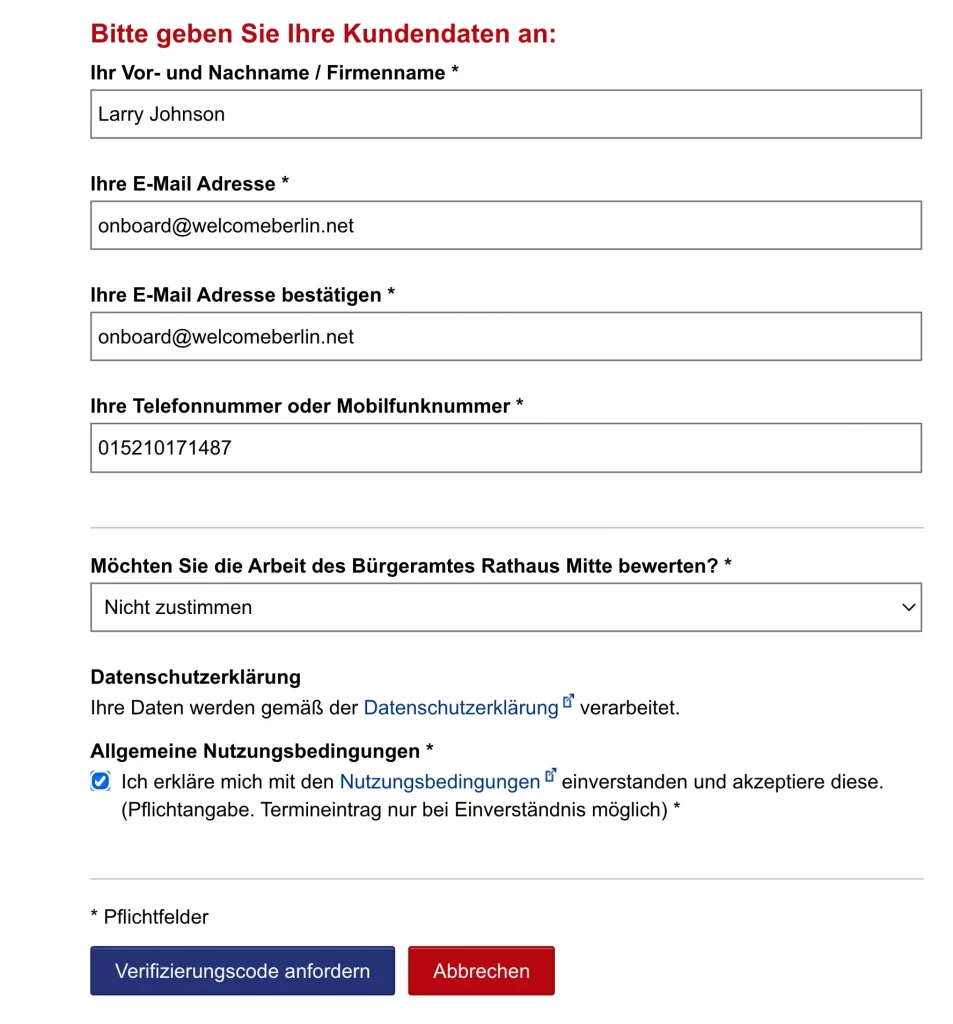
↓ This is the moment to enter your details:
- Vor- und Nachname / Firmenname (first and last name, or company name) – just fill in your names.
- E-Mail Adresse (email address)
- E-Mail Adresse bestätigen (confirm email)
- Telefonnummer oder Mobilfunknummer (landline or mobile number) — You can click the box “Terminbestätigung per SMS” (Appointment confirmation via SMS) to get the confirmation on your phone.
- Möchten Sie die Arbeit des Bürgeramtes Rathaus Mitte bewerten? (Do you want to rate the performance of the Bürgeramt? – in this example Bürgeramt Rathaus Mitte). Here it is recommended to select the option “Nicht zustimmen” (disagree) because this represents an extra step that is not essential.
- You must select the box where you agree with the “Allgemeine Nutzungsbedingungen” (General Terms and Conditions of Use). This selection is mandatory.
- Click on the blue button “Verifizierungscode Anfordern” (Request verification code). This code is necessary to proceed with the process and will be sent to the email address you provided.
Step 5: Verify Your Email
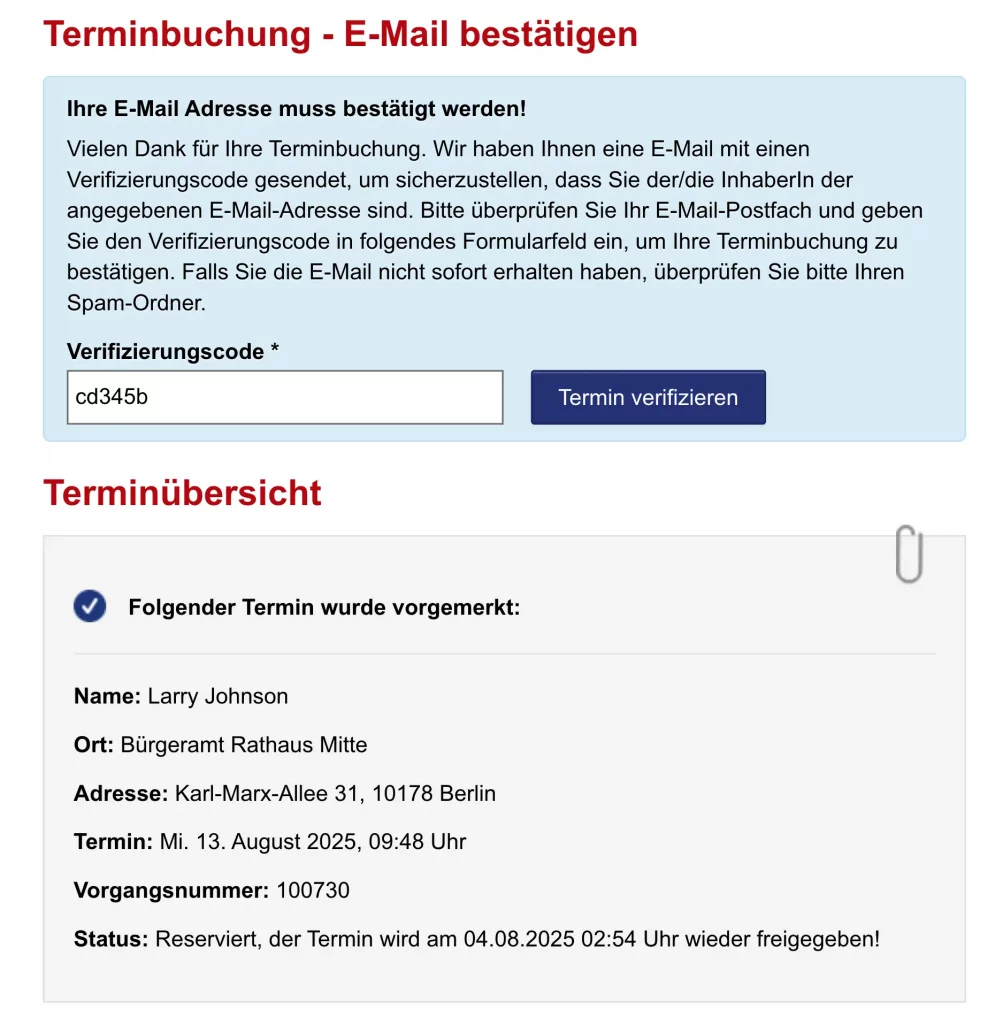
↓ Now check your inbox for the verification code and enter it in the field. Below the field is a summary with all the data you entered. Check it for accuracy.
Success
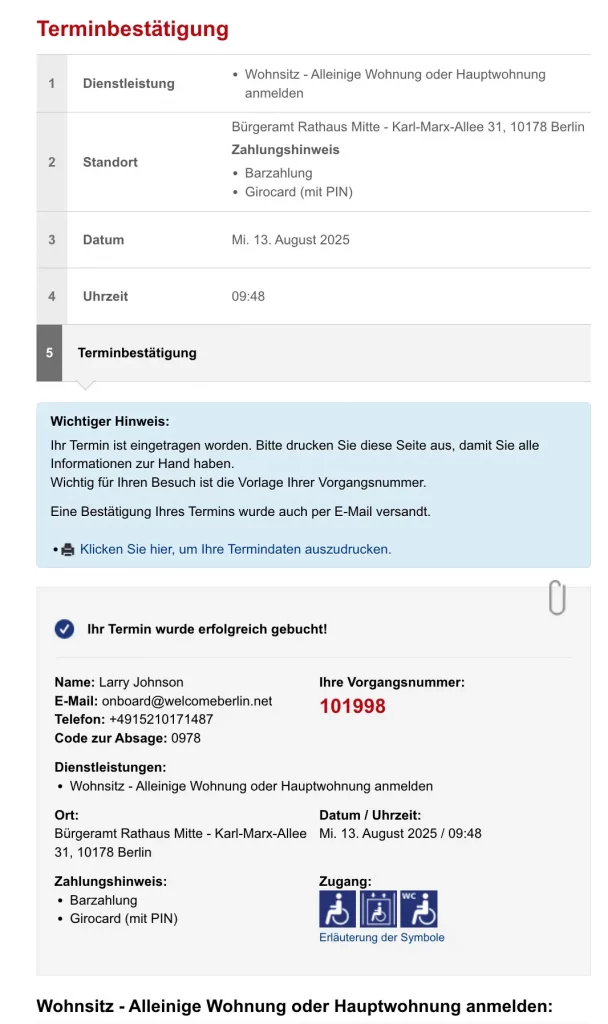
↓ Congratulations! You have just booked an appointment to register your new domicile. Below are all the details, including the address, date, and time. It is recommendable to print this screen to have all information at hand.
You will get an email confirmation of the booked appointment.
Please arrive early at the Bürgeramt and take a seat in the waiting room. Be aware of your Vorgangsnummer; it will be displayed on the screen when it’s your turn. Make sure you have all the documents, and if your German is not very good, bring someone with you to act as a translator, or find someone on the Marketplace.
Tip: Should you need to cancel your appointment, you can do so by clicking on the “Änderungs/Absage-Link” (Change/Cancellation link) found in your appointment confirmation email. Once clicked, proceed to select the link “Vereinbarten Termin ändern oder absagen” (Change or cancel an agreed appointment) on the subsequent screen.
Documents You Need For Your Anmeldung
—Valid passport or ID,
—Completed Anmeldung form,
—Appointment confirmation (you will get it in your inbox).
—Wohnungsgeberbestätigung (landlord confirmation),
Without these documents, your appointment will be rejected.
Get a Free Step-by-step Guide on How to Fill out the Anmeldung Formular
WelcomeBerlin has prepared an easy guide for you. Print the official Anmeldung form and fill it out by yourself with confidence.
Final Notes
Booking an Anmeldung appointment in Berlin requires patience, flexibility, and persistence. Check availability regularly, select all locations, and act fast when a slot appears.
Once completed, keep your Anmeldung confirmation safe. You’ll need it repeatedly during your life in Berlin.
Share this page using: